

MapStore 2025.02 Release
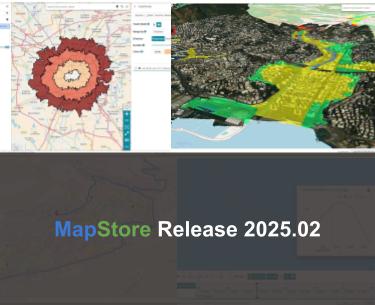
We are pleased to announce the release of the new series 2025.02 of MapStore, our flagship Open Source WebGIS product. In Github it is possible to consult the full list of new features, enhancements and fixes we have provided within the 2025.02.00 version.
We want to thank everyone who contributed to all new features and improvements that are included in this release, primarily Vlaanderen, Total Energies, the Municipality of Genoa, the Municipality of Florence, ABO Energy and last but not least Region de Murcia (the full list is available at the v2025.02.00 release page in Github).
The 2025.02.00 version introduces significant functional additions, starting with new plugins dedicated to spatial analysis. With the new tools for isochrones and itineraries, MapStore moves beyond simple data visualization, allowing users to perform accessibility and routing studies directly within the map interface.
On the technical side, we have significantly improved the 3D experience, offering more flexibility in terrain layers management and 3D Tiles integration. At the same time, we have strengthened the security and administration modules, providing more granular control over resource access and a more centralized management of administrative tools.
With the move to Node.js 22 and the update of core libraries like CesiumJS, Proj4 and others, MapStore continues to offer a modern and reliable environment for building professional WebGIS applications.
Isochrone and Itinerary tools
This release introduces powerful new features designed to go further than just data visualization. Leveraging external routing engines, MapStore now provides users with intuitive tools to study accessibility and plan trips directly within the map interface.
With the Isochrone plugin, users can set an origin point directly on the map to calculate reachability based on time (e.g. area reachable within 15 minutes) or distance (e.g. area within 5 km). The plugin supports various travel modes depending on the connected service capabilities (such as walking, cycling or driving). Even if the tool is designed to interact with external routing engines, it natively supports integration with GraphHopper by processing API responses to render the resulting isochrone as a vector layer on the map. This allows for immediate visual analysis of service coverage or urban accessibility.

MapStore Isochrone tool in action.
On the other side, the new Itinerary tool integrates professional-grade routing capabilities, allowing for the creation and visualization of complex paths within the MapStore viewer. It supports multi-stop routing, enabling users to define, add and reorder multiple waypoints. The tool calculates the optimal path and provides essential data such as total travel time and distance for the entire route. Built on a flexible architecture, the plugin leverages external providers like GraphHopper (still the native support for this tool) to handle the routing logic. It manages the communication with these external APIs and handles the geometry state to ensure that the calculated path is accurately overlaid on the map as an interactive layer.

MapStore Itinerary tool in action
Improving the 3D experience with Cesium
The 2025.02.00 release introduces significant updates to the MapStore 3D capabilities, focusing on data integration and user control. These improvements are designed to make 3D environments even more interactive and precise, allowing for a better fusion of traditional mapping services (typically 2D) with advanced 3D datasets.
With the new Terrain Layer Selector tool, users can now easily switch between different terrain sources or deactivate them entirely to view a flat ellipsoid. This is particularly useful because it allows you to switch to different terrains that are best suited to specific 3D visualization purposes, even when comparing local, high-resolution digital elevation models (DEMs) with global terrain datasets. The plugin allows administrators to configure a list of different terrain providers in the map configuration. It supports various formats compatible with Cesium, enabling the dynamic replacement of the terrain provider at runtime without needing to reload the 3D scene.

MapStore Terrain Switcher tool
Release 2025.02.00 introduces also improved 3D Tiles Imagery Layer Support by enhancing the visual integration of traditional mapping services with modern 3D Tiles. It is now possible to drape standard imagery layers, such as WMS or WMTS, directly over 3D Tiles datasets. This allows users to visualize thematic maps or technical cartography perfectly aligned with the 3D geometry of the terrain and buildings. The implementation leverages CesiumJS’s ability to treat 3D Tiles as surfaces for imagery layers. This ensures that the texture from the 2D service is correctly projected onto the 3D Tiles fragments, maintaining spatial consistency between the different data sources.

Support for 3D Tiles imagery layers
A refined 3D Clipping function for 3D Tiles provides more accurate control over how 3D Tiles are displayed and analyzed. The improved clipping functionality allows for cleaner and more professional cross-sections of 3D models. Users can “cut” through 3D Tiles to inspect interiors or subsurface data with higher graphical precision. The update now relies on native CesiumJS capabilities and improves the performance of the clipping planes applied to 3D Tiles with higher accuracy.

Improved 3D Tiles clipping
MapStore 2025.02.00 sees finally an enhanced WFS rendering for the Cyclomedia Street Smart tool in 3D mode. This update addresses specific technical challenges related to feature rendering in 3D mode, ensuring that vector data remains visible and perform well regardless of the camera perspective. A new tile-based loading strategy for WFS layers in both OpenLayers and Cesium has been introduced for the purpose. Instead of relying on a single BBOX, the system now performs WFS calls for each tile, ensuring features are correctly loaded regardless of the perspective. This update prevents system hangs when viewing features on map within the Cyclomedia Street Smart plugin and ensures consistent data visibility at any angle. Last but not least, the tool now supports also re-login prompts if a user enters invalid credentials while accessing secured layers.

Improved Street Smart plugin view for 3D maps visualization
Improving accesses and data security management
This release introduces granular IP-based access control for MapStore resources (maps, dashboards, geostories etc.) and upgrades the GeoFence Rule Manager tool to work on top of GeoFence v3.8 series by including IP filtering and time-limited rule validity. Additionally, new support for runtime credentials allows users to authenticate on-the-fly when accessing secured external services, ensuring flexible and more robust data protection interoperability.
With the new IP-Based Access Control for Resources a more granular approach to resource security has been introduced by allowing administrators to define access policies based on network location. Administrators can now restrict or grant access to specific maps, dashboards and stories (or contexts) based on the client’s IP address. This is particularly useful for organizations that need to limit sensitive data visibility to internal networks or specific authorized locations.

Grant access to MapStore resources by IP
The GeoFence Rule Manager tool of MapStore has been significantly enhanced to provide more flexibility in managing GeoServer services and/or data access rules directly from the MapStore admin interface. It now supports IP filtering improving existing rules searching capabilities with a benefit for the overall user experience. Furthermore, it introduces the ability to temporarily disable rules without deleting them. By defining a validity period, administrators can automate rule activation for scheduled maintenance windows or temporary project-based access (features based on new GeoFence v3.8 capabilities).

Improving the GeoFence Rule Manager tool.
On the other side, connecting to external secured services is now more flexible than ever. MapStore now also supports providing credentials (such as Basic Authentication) at runtime. When a user attempts to access a protected layer or service that requires authentication, the system prompts for a username and password on-the-fly. This feature is essential for integrating with external infrastructures improving interoperability. It ensures that users can authenticate directly against the service provider during their active sessions.

Inserting basic-auth credentials for external OGC service
Improved data Interaction and UX
Data interaction is enhanced through the new Decoding Attributes capability (now available for the Attribute Table for cross-layer lookups) and the new Temporal Support for both the Identify tool and Charts. Additionally, the new “Broken Resource” state improves diagnostics by clearly communicating loading failures or permission mismatches, ensuring a more informative experience for both users and admins.
- Smart Attribute Tables: we’ve enabled decoding attributes for dropdowns in the Attribute Table. This allows you to populate values using data from different layers, facilitating cross-layer lookups and more efficient data entry/filtering.
- Enriched Temporal data support: the Identify tool now supports the time dimension, auto-updating attributes as the timeline changes. This ensures feature info always reflects the selected point in time for time-enabled layers.
- Time-Aware Charts: charts now support displaying the current time or the data reference time, providing essential context for time-series analysis.

Improved charts to show the current time
- Improved Error Diagnostics: we’ve introduced a “Broken Resource” state. If a map or context fails to load (e.g., due to service unavailability or permission mismatches), MapStore now communicates the issue clearly in the main catalog, improving the diagnostic experience for both users and admins.

Managing broken resources
Administration and Developer Updates
In MapStore version 2025.02.00 the admin interface now centrally manages Tags, while the Query Layer allows AOI reuse for better filtering workflows. Key technical updates include Grid Based Datum Adjustments for geodetic precision, Node.js 22 compatibility and enhanced Docker setup by running containers as non-root users by default.
- Centralized Admin Section: the administration interface has been enriched to provide a unified hub for managing not only users and groups but also Tags, streamlining platform governance.

Improved admin section and user menu.
- Enhanced Query Logic: the Query Layer now allows the reuse of the same Area of Interest (AOI) for multiple subsequent queries (e.g. cross-layer ones), improving the workflow for complex spatial filtering.
- Geodetic Precision: leveraging on the Proj4 library update, support for Grid Based Datum Adjustments has been implemented, ensuring higher accuracy for coordinate transformations in specific local geodetic systems.
- System & Security Improvements: the MapStore Docker container now runs as a non-root user by default for improving security procedures in production environment setups. Furthermore, the platform is now compatible with Node.js 22, with core dependencies like CesiumJS updated to version 1.131.0 and Proj4 to 2.19.10.
And these are just some of the many enhancements coming your way, the 2025.02 series is just getting started, so stay tuned for more powerful upgrades ahead!
If you are interested in learning more about how we can help you develop a WebGIS using MapStore or help you achieve your needs with MapStore, GeoServer, GeoNode and GeoNetwork through our Enterprise Support Services, Professional Training Services and Subscription Services please contact us!
The GeoSolutions team,
