

GeoServer security update: the November 2026 advisories, and what to do with them
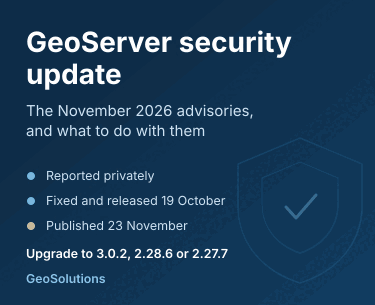
On 23 November 2026 the GeoServer project published nineteen security advisories. Seventeen cover issues fixed in the October releases; two concern issues fixed earlier. The October fixes were available from 19 October, before the advisory details were published. If your deployment is still on an affected version, prioritize the upgrade.
The project handled the reports privately and released fixes before publishing the advisories. The list includes issues affecting core installations and others that depend on the components you have installed.
This post is self-contained: what was fixed, how to tell whether it concerns your deployment, what to do about it, how the project handles disclosure, and where our engineers sit in this work. The project announcement is linked at the end.
The short version
- Seventeen vulnerabilities were fixed in the October releases: one Critical, twelve High, four Medium. Two further issues, fixed in earlier releases, were published at the same time.
- Patched versions are GeoServer 3.0.2 (stable), 2.28.6 (maintenance) and 2.27.7. Patch upgrades within the same release series are typically straightforward. Back up the data directory, install matching versions of your extensions, and verify login and key workflows in staging.
- The October fixes were available before the advisory details were published.
- Several entries only apply if you installed a specific extension or community module. The table says which.
- The 2.27 series is end of life. If you are already on 2.27.x, use 2.27.7 only as a temporary bridge to a supported series.
Reading the list
Two points help put this set of advisories in context.
Several CVEs came from one report. The project tracked the underlying issues separately because each required its own fix. The reporter verified the fixes against the released build before disclosure.
CVE-2026-129245 is the Critical entry, affecting remember-me authentication. The patch changes how the signing key is managed. Users with existing remember-me sessions will need to sign in again. See the upgrade steps below for clusters and deployments where the data directory may have been exposed.
What was fixed
The seventeen vulnerabilities fixed in GeoServer 3.0.2, 2.28.6 and 2.27.7.
| Severity | CVE | Issue | Affected component |
|---|---|---|---|
| Critical | CVE-2026-129245 | Predictable remember-me key allows administrator session forgery | Core |
| High | CVE-2026-129242 | Deserialization in JDBC user and role services allows administrator code execution | Core |
| High | CVE-2026-129243 | Service security rules bypassed with a prefixed service name such as x/WFS | Core |
| High | CVE-2026-120705 | Unauthenticated WFS GetFeatureById XML injection | Core |
| High | CVE-2026-129293 | Stored XSS via style name in the style editor Layer Preview | Core |
| High | CVE-2026-120704 | Remote code execution via SQLite JDBC extension loading in JDBC security services | Core |
| High | CVE-2026-120701 | Unauthenticated SSRF via WPS gs:DownloadMap | WPS Download extension |
| High | CVE-2026-120706 | Unauthenticated SSRF and file read via WPS inline VRT to native GDAL | WPS extension |
| High | CVE-2026-120710 | Arbitrary file write via GeoWebCache FileRasterFilter ZIP update | GeoWebCache |
| High | CVE-2026-120707 | GeoFence source IP rules bypass via X-Forwarded-For | GeoFence extension |
| High | CVE-2026-120708 | ACL source IP rules bypass via X-Forwarded-For | ACL plugin |
| High | CVE-2026-129294 | Unauthenticated style management in OGC API Styles | Community module |
| High | CVE-2026-120703 | JWT Headers roles header trusted without validation | Community module |
| Medium | CVE-2026-129244 | WFS stored query exception discloses the data directory path | Core |
| Medium | CVE-2026-129240 | Local file probing via file:// schemaLocation during strict schema validation | Core |
| Medium | CVE-2026-120702 | CSW DirectDownload served for layers where it is disabled | CSW extension |
| Medium | CVE-2026-120709 | Unauthenticated SSRF and file read via the printing legend icon URL | Printing extension |
Two further issues, fixed in earlier releases and published at the same time.
| CVE | Issue | Severity | Fixed in |
|---|---|---|---|
| CVE-2025-53607 | Unauthenticated XXE file read and SSRF via xsi:schemaLocation in OWS requests | High | 3.0.0, 2.28.4, 2.27.6 |
| CVE-2024-35233 | ImageMosaic remote code execution via REST coverage store file upload | High | 3.0.0, 2.28.5, 2.27.6 |
For the GeoFence and ACL entries the fix ships with the corresponding component, so check the individual advisory for the exact version to move to.
Does it concern you
If you run an affected release, prioritize the applicable patch or move to a supported release series. Everything marked Core applies to a plain installation with no extensions added.
Beyond that it depends on what is installed, which is worth checking rather than assuming. The administration interface lists the modules under Server Status, in the Modules tab, and the extensions are the jar files unzipped into WEB-INF/lib. Four entries concern extensions that are often installed for one project and then forgotten: WPS and WPS Download, printing, CSW. Two more are community modules, OGC API Styles and JWT Headers, which are not part of a release and are deployed deliberately, so you know if you have them. GeoFence and ACL are authorization components: if your access rules depend on the client IP address, the two X-Forwarded-For entries matter, because a header the client controls was trusted as the source address.
One pattern runs through the extension entries, SSRF and file read. A server that fetches a URL on request can be asked to fetch the wrong one. If your GeoServer can open arbitrary outbound connections, that is worth closing off independently of these CVEs, and it is cheap to do.
What to do now
- Upgrade. 3.0.2 if you are on the stable series, 2.28.6 if you are on maintenance. If you are already on 2.27.x, 2.27.7 is a temporary bridge only. If you are on an older series, plan a move to a supported release. These versions address this set of advisories. Java4Shell is a separate Java runtime issue; see the GeoServer project’s Java4Shell guidance.
- After the upgrade, expect remember-me cookies to stop working. Users log in again. In a cluster, set GEOSERVER_REMEMBERME_KEY to a shared random value, otherwise each node signs with its own key.
- If the data directory may have been exposed, change the administrator passwords.
- If an upgrade this week is not realistic, narrow the window in the meantime. Remove the rememberme filter from the web filter chain, under Security and then Authentication, which is the mitigation the project documents for the Critical issue. Keep the web interface and the REST API off the public internet. Remove extensions you do not use. Have the reverse proxy overwrite any client supplied X-Forwarded-For header rather than appending to it.
- Decide who reads the advisories, and how fast a patch release can reach production. The project gave operators five weeks between the fix and the public detail. That window is only useful to the people who have someone watching for it.
How GeoServer handles disclosure
The project provides a security policy and private reporting channel. In this batch, the October patch releases gave operators about five weeks to upgrade before the advisory details were published.
Operators can use that window by assigning someone to monitor project releases and having a process to test and deploy patches promptly.
Our part in this work
GeoServer belongs to its community, with several companies and many individuals behind it. We are one of the groups that carries the security work, and in this batch that is visible in the credits of the advisories themselves.
Of the seventeen advisories published for the October releases, our engineers are credited as remediation developer on fourteen. Andrea Aime wrote ten of them, including the Critical one, Alessandro Ricchiuti two, Alessio Fabiani and Daniele Romagnoli one each. Andrea also ran the testing for all three releases. Our team takes part in the triage of incoming GeoServer vulnerability reports: reproducing what is reported, deciding what is a duplicate, and writing the patches that follow.
It is also what commitment to a project looks like in practice. Security work is not planned, it arrives when it arrives, and it has to be done properly whatever else is in the way. We do it because GeoServer matters to us and to the organisations that run it, and we keep at it for as long as the work takes. Our investment in GeoServer, and in the open source stack around it, is going up, not down.
We mention it because it is also the reason our advice here is worth something. When we tell you that a configuration is risky, or that a report is less severe than it looks, it comes from having read and fixed the code in question.
How we can help
Upgrading GeoServer is usually straightforward, and most teams handle it themselves. Where it is not, or where you want someone else to watch this for you, there are three ways we work with organisations on exactly this.
- GeoServer Assessment. A one time review of your installation: version and extensions, what is exposed, service and security configuration, database privileges, logging. You get a report with findings in priority order and the actions to close them. The natural starting point if you are not sure where you stand after reading the list above.
- Subscription Services. Upkeep of your deployment on an ongoing basis, upgrades and security patches included.
- Enterprise Support Services. Direct access to the core developers, priority bug fixing including upstream, performance tuning and security hardening, and someone to call when something goes wrong.
If you are interested in learning more about how we can help you achieve your needs with GeoServer, MapStore, GeoNode and GeoNetwork through our Enterprise Support Services, Professional Training Services and Subscription Services please contact us!
The GeoSolutions team
